Journey from the World of Angular to Next.js
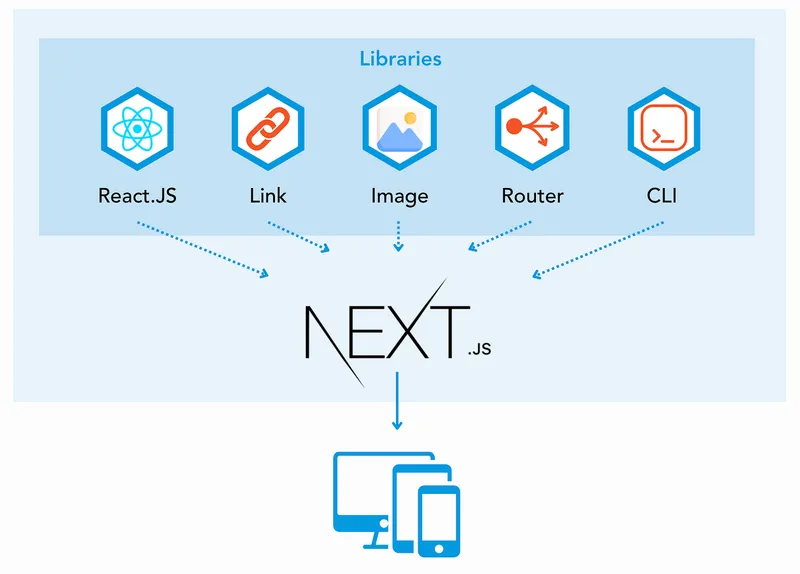
This journey started when I was approached to work on a brand new project using Next.js. I could have stayed with Angular and kept my own comfort zone, but I knew nothing about Angular a few years back and still took a chance with it — and it's been amazing since. To learn Next.js, I had to get through React.js first. After a few days of small projects, it started to feel comfortable. It's been a few months now working on a Next.js PWA app, and here are some of the things you should know.
Next.js is a React framework for production that ships out-of-the-box features that were lacking in React.js. As we know, Angular and React are used to create single page applications, which are fast and reactive but come with a price: poor SEO. Some of the top features Next.js provides are as follows.
Server-Side Rendering
Developers can render the JavaScript on the server and send HTML indexable code to the user using Server-Side Rendering (SSR). This was not easily possible without Next.js — developers had to scratch their heads with issues like caching, on-demand content, and server load. Static Site Generation (SSG) is another way of building SEO-friendly web applications: it generates HTML during build time. It's really fast, but takes more input compared to SSR.
File-System Routing
We don't have to worry about creating a router like in Angular. Next.js has a built-in file-system based router built on the concept of a page. To create a route, we just add a file in the "pages" directory. I found it really cool and easy to use — with dynamic route segments, nested routes, and index routes.
Automatic Code Splitting
What a page needs is what it gets. Pages are rendered with just the JavaScript and libraries they require — nothing more, nothing less. The app is broken automatically into a number of resources instead of one giant bundle. The first page loads faster.
Prefetching
The prefetch prop is supported by the Link component used to link another page. It
automatically prefetches page resources in the background. The default value is true.
TypeScript Support
Next.js provides an out-of-the-box TypeScript experience. TypeScript is preferred by almost all
developers for good reasons — it's more reliable and explicit. To enable it, we create a
tsconfig.json file in the root of the project.
Image Optimization
Introduced from version 10, Next.js now has a built-in image component and optimization. It was painful to optimize images properly before. Resizing, serving images in modern formats, and optimizing are done automatically — even for images hosted in a CMS or external source. It also provides lazy loading by default, and the layout can be customized based on device sizes.
What Projects Are Most Suitable for Next.js?
When organic traffic and SEO are really important for the business, and you need the app running in production sooner with proper OG tags, the right choice is Next.js. E-commerce is one area that best fits the profile. Analyzing the expectations and needs of the business is really important. Blogs, news portals, and business client applications are some of the examples where Next.js rocks.
Conclusion
I found it really easy to start working with Next.js with little effort. The concept of props and the virtual DOM makes React cool. Applications developed using Next.js feel fast and score well in Lighthouse, and PWA configuration runs smoothly. If you're an Angular or React developer, go through Next.js once — and if you want to build an SEO-friendly web application, get in touch. Thanks for reading!
Curious how Angular's own SSR and hydration story compares today? I cover it in Modern Angular Development in 2026.
Want an SEO-friendly web app built with Next.js? Reach out — I build fast, production-ready sites.
Originally published on Medium — read the original article.