Why Is McMaster-Carr So Fast? What the Network Tab Actually Shows
On this page
If you have ever ordered a bolt or a bearing, you have probably used McMaster-Carr. If you build for the web, you probably also noticed that it feels faster than almost anything else online. You click a category and the page is simply there. No spinner, no skeleton, no layout jumping around.
The popular explanation is that McMaster is fast because it uses old, simple technology: server-rendered ASP.NET, a little jQuery, no heavy framework. It's a comforting story, because it suggests modern tooling is the problem.
I wanted to know whether it holds up, so I took the site apart: HTML, headers, CDN behaviour, service worker, JavaScript bundles and navigation code. Some popular claims are accurate. Several are outdated or wrong. The real explanation is far more useful to anyone building with React, Next.js or Angular.
The thesis, up front:
Fast websites are rarely fast because of one clever trick. They are fast because they keep unnecessary work off the critical path, and McMaster goes one step further by doing the next page's work before you ask for it.
How I investigated
Every McMaster detail here comes from inspecting the live site on 24 September 2026: documents, assets, headers and shipped JavaScript. I mark claims as confirmed (visible in headers, markup or code) or strongly indicated (very likely from the code, but not observed end to end).
I'm not quoting Core Web Vitals numbers, because my network position, far from McMaster's origin, makes my timings unrepresentative. For real-user data, run the site through PageSpeed Insights and read the Chrome UX Report section.
The first surprise: a megabyte of JavaScript
The most repeated claim is that McMaster avoids heavy JavaScript. So I counted it. On desktop, after the first paint, the site loads:
| Bundle | Contents (from file banners) | Uncompressed | Brotli |
|---|---|---|---|
| Polyfills | core-js 3.0.1 | 140 KB | 42 KB |
| Legacy libraries | YUI 2.6.0, jQuery 3.4.1 | 302 KB | 91 KB |
| Application | McMaster's code, React 19.0.0 | 3.73 MB | 854 KB |
| Tracking | first-party /trk/ schema |
297 KB | 24 KB |
| Total | ~4.5 MB | ~1.0 MB |
Confirmed. That's more compressed JavaScript than many React apps criticised for
bloat. "No modern framework" is out of date too: React 19 is in production, and flags like
ProductDetail_ReactClient (on in my session) show the UI moving to React.
Mobile goes further. With an iPhone user agent, the homepage is a different app entirely: an
empty <div id="root">, a Vite-built bundle of about 1.2 MB (367 KB gzipped) and a
JSON bootstrap blob. A textbook client-rendered SPA. Confirmed.
So the size of the JavaScript isn't the answer.
The question that matters
Most performance discussions start with how big is my site? Size is a proxy. What decides how fast a page feels is this:
How much work must the browser finish before the user can see, and then use, the part of the page they came for?
That work is a chain, and each link waits for the previous one. A typical client-rendered app puts a lot on it:
Client-rendered SPA, first visit

HTML shell ─► download JS ─► parse/compile ─► execute ─► framework bootstrap
           ─► API request ─► wait ─► render ─► layout ─► PAINT
McMaster's desktop homepage puts much less on it:
McMaster desktop homepage, first visit

HTML (content + critical CSS inline) ─► layout ─► PAINT
                                           └─► then: dynamic data ─► scripts ─► enhancement
It isn't less total work. The megabyte still downloads and runs, just after the paint. Nearly everything below is a variation on that: move work off the critical path, or do it before the user needs it.
Inside the first response
Here is what the browser receives for https://www.mcmaster.com/ on desktop.
All confirmed:
- About 78 KB of HTML, 14 KB after Brotli.
- No external stylesheets and no external scripts. Just six small inline scripts, and nothing that blocks parsing.
- About 32 KB of CSS inlined in one
<style>block, roughly 40% of the document. - Real content: the full category navigation, about 720 elements and 200 real
<a
        href>
links. - Targeted hints:
dns-prefetchfor three hostnames;preloadfor the logo, three WOFF2 fonts (withfont-display: fallback) and eight image sprites; andpreload as="fetch"for a dynamic request that runs later.
What it means: external stylesheets block rendering, because painting unstyled content and then restyling it is worse than waiting. With the styles inside the document, the browser goes from first byte to first paint without waiting on any other render-blocking request.
Why it helps: on a mobile connection with 150 ms of latency, a separate stylesheet (plus a TLS handshake if it lives on another origin) can add 300 ms or more before any pixel appears.
What it costs: inline CSS can't be cached separately, so every HTML response
carries it again, and someone has to decide what counts as "critical" for each page type. McMaster
clearly does. Deferred files have names like abovethefold.css, and a
window.mPageEmbeddedFiles map records which styles are already inline. Critical CSS
pays off where first-visit rendering matters, like landing pages and catalogs. In a logged-in app
used for hours, a well-cached external stylesheet is often the better deal.
Why JavaScript is expensive, and how McMaster sidesteps it
A kilobyte of JavaScript costs more than a kilobyte of image, because after downloading it the browser has to:
- Parse and compile it: CPU work that scales with code size and runs far slower on a mid-range phone.
- Execute it on the main thread, which also handles layout, painting and input.
- Bootstrap a framework: runtime, components, reactivity, plus the allocations and garbage collection that come with them.
- Hydrate server-rendered markup: walk the DOM, attach listeners, rebuild state. The cost grows with the amount of UI, not with how much the user touches.
- Fetch data it only discovers it needs after running, adding a second waterfall.
- Mutate the DOM, triggering style recalculation and layout.
Steps 2 to 6 compete with the user for one thread, which is why a page can look ready and still ignore a tap. That's what Interaction to Next Paint (INP) captures.
None of this makes React or Angular badly engineered. The problem is structural: if the framework must run before the content appears, the content can never appear faster than the framework starts. The lesson isn't "avoid frameworks." It is that JavaScript shouldn't be on the critical path unless the user actually needs it there.
McMaster's loader makes this concrete. Confirmed from the page code:
- On
DOMContentLoaded, an inline script requests/init/ShellDynamic.aspx, which thepreloadalready started. - That response carries everything user-specific: cookies, a Content Security Policy, feature
flags, and script tags using
data-deferred-srcinstead ofsrc. It's servedprivate, must-revalidate, max-age=5. - The loader activates the scripts one at a time and the deferred stylesheets in parallel.
The page is split into what is the same for everyone (the cacheable shell, which carries the content and the paint) and what depends on the user (the dynamic fragment, which carries behaviour and arrives once the page is visible).
The cost is that enhancements like fetch-ahead arrive well after the paint on a cold visit. That
works because the page is usable first: every link is a real <a href>, so an
early click gets a normal navigation, not a dead link. That's progressive enhancement doing its
job.
Caching as a system
"They use caching" says almost nothing. What matters is which layer answers which request:
In-page hot cache       ~0 ms
Service worker cache    a few ms
Browser HTTP cache      a few ms
CDN edge                tens of ms
CDN parent tier         + tens of ms
Origin                  + server render time
A hit near the top saves every layer below it. The design question is how close to the user each response can safely live.
Static assets: cache forever, change the URL. Every script, stylesheet, font and
image I checked is served public, immutable, max-age=31536000 with a version in its URL
(/mv1790190289/… or ?ver=…). Confirmed. New code means a
new URL, so a cached file is never wrong, and immutable skips revalidation on reload.
Every asset I requested was a cache hit at Akamai, the CDN in front of the site, which serves HTTP/2
with Brotli.
HTML: the hard part. HTML is where prices and login state live, so McMaster
keeps the shell identical for everyone and moves the personal parts into the dynamic request. The
homepage is served no-cache ("store, but revalidate before use"), and Akamai's debug
headers show X-Check-Cacheable: YES with TCP_REFRESH_MISS: the CDN held a
copy but checked with the origin first. Category and product documents return
X-Check-Cacheable: NO. Confirmed. The common claim that Akamai serves
pre-rendered HTML for every page doesn't match what I observed.
The service worker: stale-while-revalidate, built by hand. This is the cleverest
caching on the site. The worker at /init/ServiceWorkerJS.aspx is 849 bytes and does one
thing:
// Paraphrased from McMaster's service worker
self.addEventListener('fetch', (event) => {
  const req = event.request;
  if (req.mode === 'navigate' && req.method === 'GET' && !/\.pdf/i.test(req.url)) {
    event.respondWith(caches.match(req).then((hit) => hit || fetch(req)));
  }
});
The page code decides what goes in the cache. It names the cache after a version hash
(MCM_E13618BE…), deletes older MCM_ caches, and stores /, the
homepage shell (except on browsers flagged as mobile). If the dynamic endpoint returns a 404, the
page wipes every cache, unregisters the worker and reloads. There's even a
shellCachingNuclearOptionInvoked flag and an avoidEndlessLoop tracking
event. Confirmed.
So on a repeat desktop visit, the homepage document never touches the network. It comes from the Cache API, the inline CSS paints it at once, and the uncacheable dynamic request brings current session data and the current shell version, refreshing the cache if needed. At worst the shell is one visit stale. That costs nothing, because everything time-sensitive lives in the dynamic fragment.
That's why caching usually beats bundle trimming. Cutting 50 KB of JavaScript saves tens of milliseconds. Serving the document locally instead of from a distant origin saves the whole round trip plus server render time. The emergency controls carry their own lesson: a service worker that caches HTML needs a kill switch from day one.
Navigation: where the speed really lives
Open a McMaster product URL cold on desktop and the HTML doesn't contain the
product. For /products/screws/, you get a ~150 KB shell (about 30 KB
compressed) with the header, menu, footer and a <noscript> message: "Our
website requires JavaScript." The listing arrives only after the deferred scripts load and
request it. Confirmed, for a desktop Chrome user agent.
This is the biggest correction to the popular story. McMaster's speed is mostly about in-session navigation, not cold loads, and that's where most of the engineering is.
How it works. A custom URL manager uses history.pushState to keep
the address bar and back button correct. Content comes from endpoints like
/WebParts/Navigate/CatalogPageCntnrWebPart.aspx, and responses are either
JSON or WEBPART, the latter carrying a MarkupTxt field of
server-rendered HTML. Confirmed. That strongly indicates a
pjax/Turbo-style model: keep one long-lived page, fetch the next view as HTML, swap it in, update
the URL. React handles the more interactive product views.
Fetch-ahead, in detail
"Prefetch on hover" undersells it. Confirmed from the shipped code:
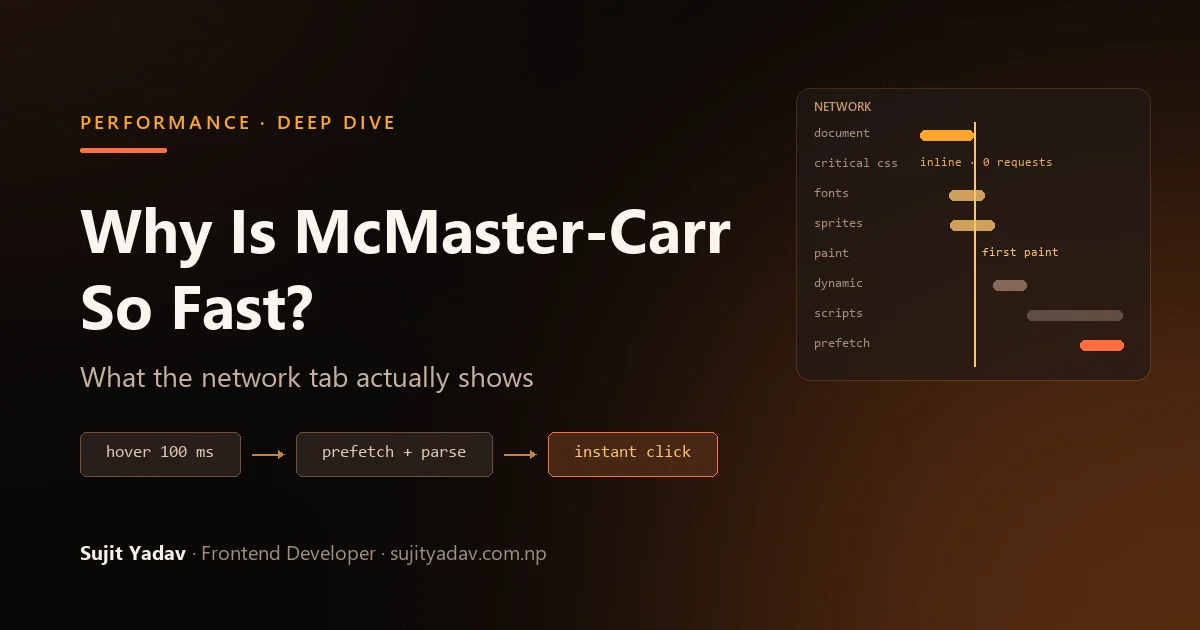
- Hovering a tile starts a 100 ms timer; leave early and nothing is requested.
mousedownalso triggers a fetch. - Only the first two tiles in a group are fetched on page load, without any hover.
- A dedicated queue runs 10 concurrent requests on HTTP/2, 1 otherwise, holds at most 30, and stops accepting hover-triggered requests after 10.
- Requests carry
X-MCM-FETCH-AHEADandX-MCM-FETCH-PRIORITYheaders, so the server can recognise speculation. - The server can reply
FetchAheadAuthorizationFailurewith aPauseDurationSecs, and the client stops prefetching for that long. That's backpressure: an overloaded origin can tell clients to stop guessing. - Remote flags can disable it entirely or just its low-priority requests
(
DisableLowPriorityFetchAheadwas on in my session). - The detail I like most: when a
WEBPARTresponse arrives, the client parses its markup into a detached<div>before the click. When the click comes, the next page is already downloaded and built into DOM nodes. All that's left is inserting them.
Without fetch-ahead:
click ─► request ─► server render ─► download ─► parse ─► insert ─► paint
      |◄──────────────────── user waits ────────────────────────►|

With McMaster's fetch-ahead:
hover ─(100 ms)─► request ─► server ─► download ─► parse (detached)
                                                        click ─► insert ─► paint
                                                              |◄ user waits ►|
The cost of navigation moves into the moment between intent and action.
The prefetching tradeoff
| Strategy | Bandwidth and server load | Perceived latency |
|---|---|---|
| Fetch on click | Lowest | Full round trip + render |
Fetch on mousedown |
Very low | Saves a little |
| Fetch after a short hover | Moderate | Often near zero |
| Fetch every visible link | High | Near zero for visible links |
For McMaster it's a good bet. Navigation is the product, large tiles make a 100 ms hover a strong signal, fragments are cheap to produce, and most customers use a desktop mouse.
Copy only the mouseenter handler, though, and you inherit the costs without the
controls. Touch devices don't hover. On slow or metered connections, speculative requests compete
with real ones (respect Save-Data). Every uncached speculative render is origin load, which is why
McMaster built backpressure. Sweeping the mouse across a grid hovers over links nobody will click.
And if fetching a page logs a view or reserves stock, prefetching becomes a data bug.
Images and layout stability
Images use McMaster's oldest techniques, a good test of "old tech is better." Confirmed:
- Homepage icons are preloaded CSS sprites.
Fastening-and-Joining-Fasteners-sprite-60.pngis 1320×60, 22 icons in one file, with a 2x version for high-density screens. - Raster images are PNG, even when the request advertises AVIF and WebP. None use
loading="lazy". - Only 1 of 30
<img>tags haswidth/heightattributes. Box sizes come from the inline CSS.
That last point explains the stability. Avoiding layout shift doesn't require size attributes. It requires the browser to know each box's size before the image arrives, and inline CSS guarantees that at first parse.
Sprites made sense under HTTP/1.1, when browsers opened about six connections per host and each request was costly. Under HTTP/2, which McMaster serves, requests share one connection, so that argument is much weaker. Sprites still stop icons popping in one by one, but you download every icon to show one and invalidate the whole file when one changes. AVIF or WebP would likely beat PNG. And skipping lazy loading is right for a homepage whose content sits near the top, but wrong for a long product grid.
The network and the browser have changed, so old optimisations carry different tradeoffs. Some still pay off. Some are habits.
Third-party JavaScript: the absence is the feature
An underrated reason McMaster feels fast is what it doesn't load. In the homepage and its dynamic
payload I found no Google Analytics, tag manager, A/B testing, heatmaps, ad tags or social widgets.
Tracking is first-party, served from /trk/. The Content Security Policy allows
Intercom, but the Chat flag was off. Confirmed.
A typical commercial site loads a tag manager, which loads analytics, experiments, session replay, retargeting pixels, chat, a consent manager and personalisation. Each can add a DNS lookup and TLS handshake, main-thread JavaScript, layout-shifting DOM changes and requests of its own. And the vendor can ship a heavier version tomorrow without a single commit from your team.
That's how excellent application code still ends up slow. I've seen lean Angular and React builds lose most of their advantage in production to a tag manager. Keeping measurement in-house is an organisational decision as much as a technical one, and possibly the hardest thing here to copy.
Measuring what users feel
McMaster measures in production. Each bundle sets a performance.mark, the resource
timing buffer is raised from 250 to 2,000 entries for long-lived pages, and an in-house tracing
system records paint and largest-contentful-paint via
PerformanceObserver and tags navigations served by fetch-ahead.
Confirmed.
Lighthouse loads one cold page with no hover and no history, so it can't see most of this. Core Web Vitals are valuable, but they are outcomes, not architecture:
| Metric | Measures | Good at p75 | Blind spot |
|---|---|---|---|
| TTFB | First byte of the document | ≤ 0.8 s | Everything after it |
| FCP | First content rendered | ≤ 1.8 s | Whether that content is useful |
| LCP | Largest content element rendered | ≤ 2.5 s | Whether the page responds yet |
| CLS | Unexpected layout movement | ≤ 0.1 | Speed |
| INP | Interaction to next paint, across the visit | ≤ 200 ms | Content that arrives after that paint |
On a site built on soft navigations, much of the experience happens inside one page lifetime, where page-load metrics only partly reach. Conversely, a page can ace Lighthouse on a developer laptop and still feel sluggish on a mid-range Android phone. Field data from CrUX, plus your own monitoring of the interactions that matter, beats any lab score.
Reproducing it with React, Next.js or Angular
None of this needs ASP.NET, YUI or a hand-written service worker. Each principle has a modern counterpart with a different mechanism but the same browser outcome:
| McMaster principle | Modern equivalent | Watch out for |
|---|---|---|
| Content in the first HTML | SSR, SSG, streaming SSR, React Server Components, Angular SSR | Server render cost; cache it |
| JS after paint | Server Components with small client islands, next/dynamic, Angular @defer, incremental hydration |
Deferring something the user needs immediately |
| Inline critical CSS | Build-time inlining (Angular's inlineCritical, Beasties-style tools) |
Bigger, less cacheable HTML |
| Cached shell + dynamic fragment | Partial prerendering: a static shell with dynamic holes; stale-while-revalidate at the CDN |
Invalidation bugs |
| Intent-based fetch-ahead | Next.js <Link> and router.prefetch(); Speculation Rules with moderate eagerness |
Wasted bandwidth and server load |
| Pre-parsed next page | Speculation Rules prerender |
Uneven browser support; memory |
| First-party telemetry | web-vitals library + your own endpoint |
Third parties added later |
Two precision notes. React Server Components are not McMaster's fragments: RSC
streams a serialised component tree that React merges into the client, preserving state, while
McMaster swaps HTML. Same goal, different mechanism. And Next.js prefetches differently by
default: <Link> prefetches as links enter the viewport, fully for static
routes and up to the nearest loading.js boundary for dynamic ones. For pages with
hundreds of links, the docs suggest prefetch={false} or a hover-activated link, which
is essentially McMaster's model. Angular's @defer (on hover) applies the idea to
components.
No architecture wins everywhere. Server rendering gives fast first content but reloads on every click. SPAs give rich transitions but put JavaScript on the critical path. SSR with hydration paints fast but can look ready before it is. Static generation is fastest to serve but hard to keep fresh for a huge catalog. McMaster's desktop site is a hybrid: a cached, server-rendered shell, progressively enhanced into a long-lived app that swaps in server-rendered fragments, with React handling the most interactive parts. Its mobile site is a client-rendered SPA. Different devices, different choices.
Performance is a systems problem
Network ─► CDN ─► Server ─► HTML ─► CSS ─► JS ─► DOM ─► Layout ─► Paint ─► InteractionA page is as fast as its slowest link, and fixing one exposes the next. Halve the bundle and LCP barely moves, because the bottleneck was a 900 ms uncached TTFB. Cache the HTML and the render-blocking stylesheet takes over. Inline the CSS and the 400 KB hero image becomes the problem. Fix that and users notice the page ignoring taps while it hydrates.
McMaster's speed comes from every layer at once: self-sufficient HTML, inline CSS, a CDN for static assets, scripts that wait, a service worker and fetch-ahead. Remove one and the site is still good. Remove several and the effect disappears.
What I would steal from McMaster-Carr
The principles, not the code:
- Make HTML useful before JavaScript runs. Disable JavaScript and look. A blank shell means your critical path runs through framework startup.
- Keep JavaScript off the critical path. Ask "does the user wait for this?", not just "is it small?"
- Separate the cacheable from the personal. The most transferable idea on the site.
- Cache hashed assets forever with
immutable. - Prefetch on intent, with limits: a hover delay, a
pointerdownfallback, caps, a speculation header and a remote off switch. - Do the next step's expensive work early. McMaster doesn't just fetch the next page, it parses it.
- Reserve space for everything. The method matters less than the guarantee.
- Give every third-party script an owner and a reason.
- Measure in the field, including soft navigations.
- Treat performance as architecture. None of this could be bolted on in the final sprint.
What I would not copy
- The legacy stack. YUI 2.6.0 dates from 2008 and is unmaintained. It works for a team that has owned that code for years, but it would be a security and hiring liability in a new project.
- Loading scripts one at a time. Modules and
defergive ordered execution with parallel downloads. - Sprites and PNG by default. Use individual SVG icons and modern formats.
- Hover-only assumptions. On touch devices, prefetch on viewport or
touchstart, carefully. - Two separate sites. The desktop site fixes a
width=1024viewport and relies on a separate mobile app. One responsive codebase is cheaper for most teams. - Hand-built service-worker HTML caching without a kill switch. Start with CDN
stale-while-revalidateor Workbox. - Deep links that need JavaScript. Streaming SSR can put the product in the first response and still enable rich behaviour afterwards.
- Prefetching without the safeguards. The delay, caps, priority header and backpressure are what make it safe.
A short checklist
- First response: primary content in the HTML; p75 TTFB under ~800 ms; Brotli on text.
- Rendering: no blocking scripts in
<head>; critical CSS inline or small and cached; LCP resource discoverable, withfetchpriority="high". - JavaScript: route-level splitting; deferred widgets; limited hydration; no long tasks during load.
- Caching: hashed immutable assets; deliberate HTML caching; tested invalidation.
- Navigation: limited, intent-based prefetch of side-effect-free endpoints.
- Layout and third parties: reserved dimensions everywhere; non-essential scripts after interaction or idle.
- Measurement: field LCP, INP and CLS, plus marks for your own milestones.
Final lessons
I expected to confirm the legend of old technology and little JavaScript. Instead I found a megabyte of JavaScript, React 19 in production, a separate mobile SPA, a hand-built caching layer with emergency controls, and a fetch-ahead system with priorities, quotas and server backpressure.
McMaster isn't fast because it avoided complexity. It's fast because its complexity is spent in the right places: after the first paint, before the next click, and never between the user and the content they asked for.
Whatever your stack, the framework matters less than three questions:
- What must the browser do before this page is visible?
- What must it do before this page responds?
- Which of that work could happen earlier, later, or not at all?
Answer them honestly, measure in real browsers, and you'll get most of the way to McMaster-Carr without a line of YUI.
I am Sujit Yadav, an Angular, React and Next.js developer based in Nepal, working remotely with teams worldwide. If your frontend feels slower than it should, you can look through the applications I have built, read where I have worked and on what, or get in touch.
Related Reading
- Modern Angular Development in
2026: A Senior Developer's Guide — SSR hydration,
@deferand zoneless change detection in practice. - React 19 Patterns: 6 Patterns That Replaced My Old React Habits — Server Components and the patterns that keep client JavaScript small.
- Journey from the World of Angular to Next.js — server-side rendering, routing and code splitting from the Next.js side.
Sources and further reading
Primary evidence
- mcmaster.com:
homepage HTML,
/init/ShellDynamic.aspx,/init/ServiceWorkerJS.aspx, script bundles and response headers, inspected 24 September 2026.
Earlier analyses (useful context; some claims are now outdated)
- Wes Bos: "How is this website so fast?" (October 2024)
- The Surprising Tech Behind McMaster-Carr's Blazing Fast Website Speed (DEV Community)
- Hacker News discussion
Rendering and JavaScript
- Rendering on the Web (web.dev)
- The cost of JavaScript in 2019 (V8)
- Extract critical CSS (web.dev)
- Efficiently load third-party JavaScript (web.dev)
Core Web Vitals
- web.dev: LCP, INP, CLS, TTFB, FCP, Optimize INP, How the thresholds were defined
Caching
- RFC 9111: HTTP Caching, RFC 8246: Immutable Responses, RFC 5861: stale-while-revalidate
- HTTP Cache (web.dev), Cache-Control (MDN), Service Worker API (MDN)
Prefetching and navigation
- Prerender pages in Chrome (Chrome for Developers), Speculation Rules API (MDN), History.pushState() (MDN)